
Zoe Agent is a robust, user-friendly, and feature-rich WhatsApp marketing automation platform. Designed to serve businesses of all sizes—from startups to full-fledged eCommerce stores—it enables seamless customer engagement, automated workflows, and AI-based interactions. This guide covers all Zoe Agent modules with detailed explanations to help you scale your business.
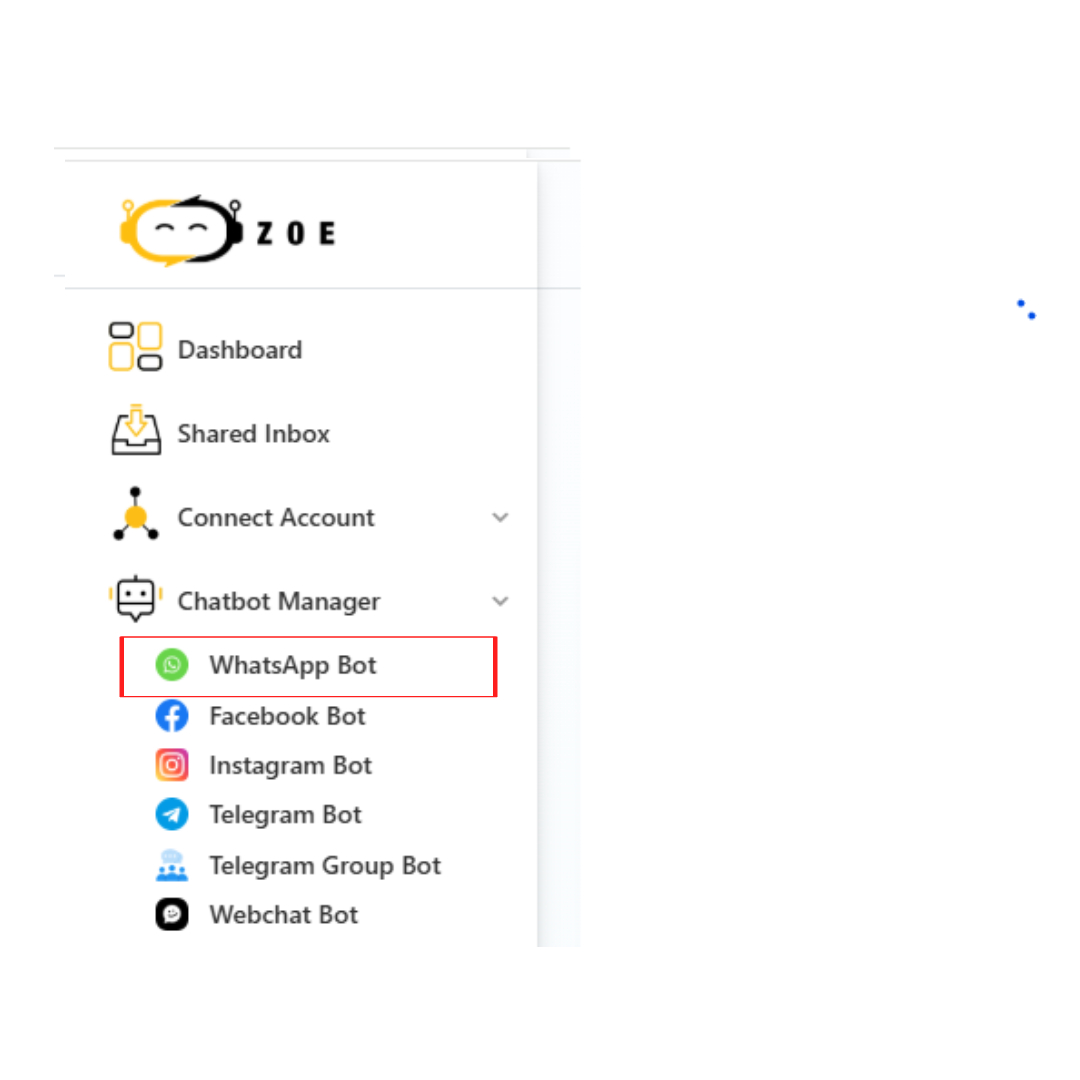
To begin, navigate to Chatbot Manager from the Dashboard and go to WhatsApp Bot.
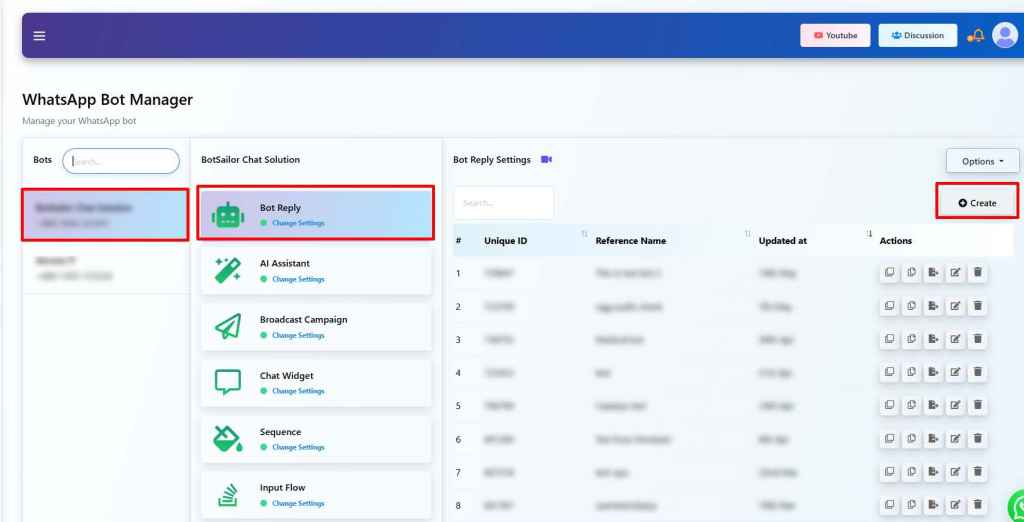
Core Features of Zoe Agent
1. 🤖 Bot Reply
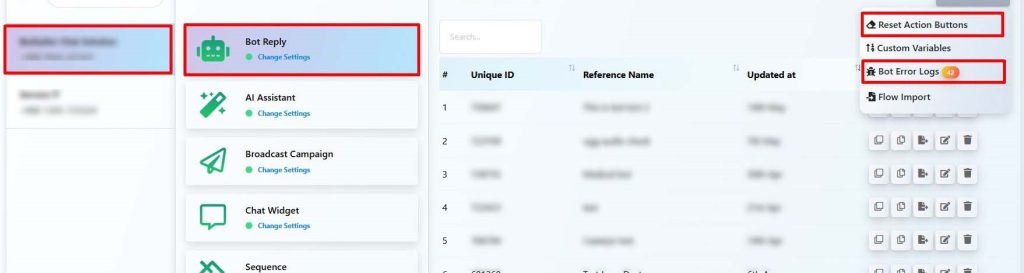
- Auto-reply to keywords or customer messages instantly.
- Manage replies using unique IDs and reference names.
- Create new replies with the “Create” button and manage them via action icons.
- Use Case: Perfect for support bots, menus, and FAQs.
2. 💡 AI Assistant
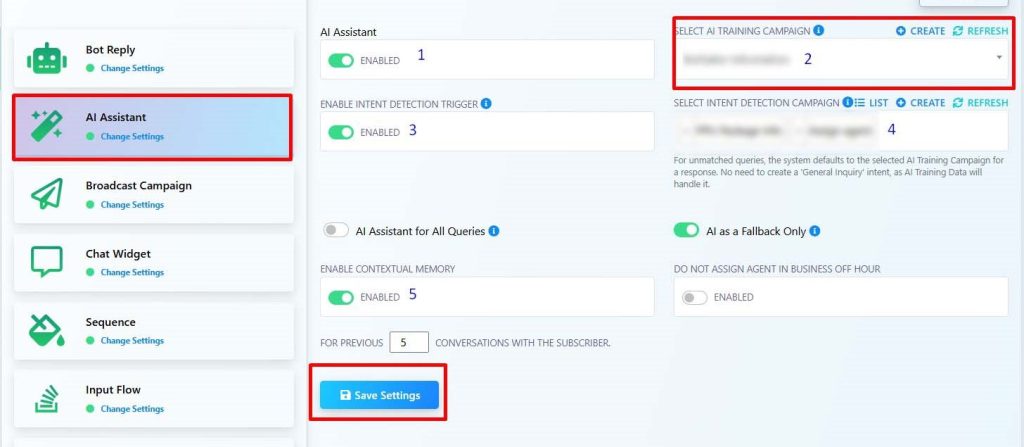
- Respond to natural language queries via trained AI.
- Assign AI Training and Intent Detection Campaigns.
- Enable contextual memory for dynamic, human-like conversations.
- AI fallback: Provides support for unmatched queries.
3. 📢 Broadcast Campaign
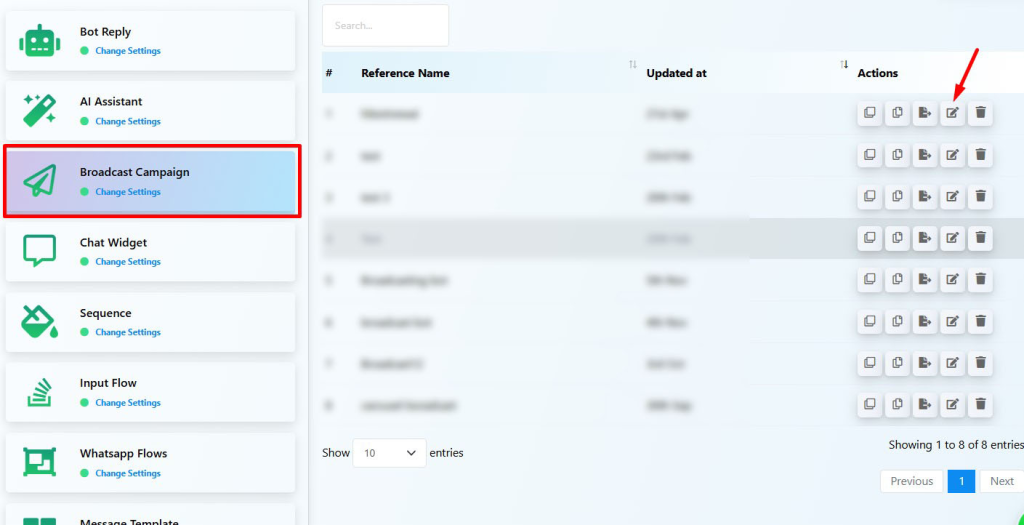
- Send bulk promotional or transactional messages using approved templates.
- Supports full campaign scheduling.
- Metrics: Monitor performance via delivery, read, and click-through rates.
4. 💬 Chat Widget
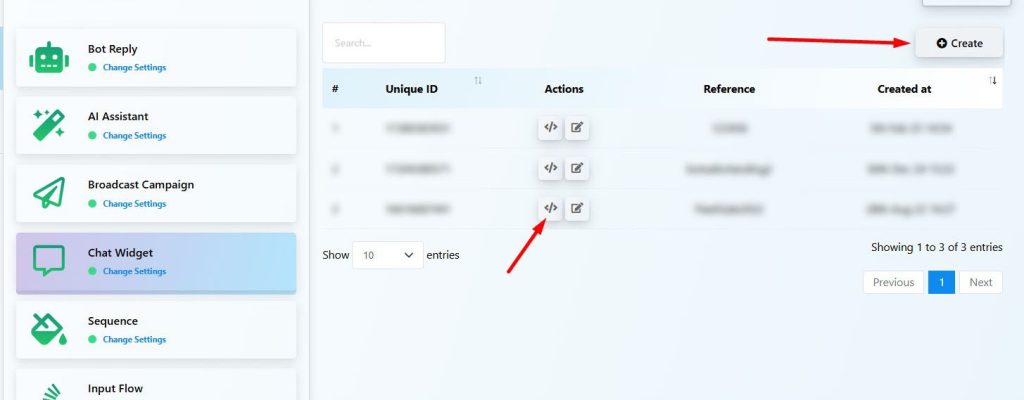
- Add a WhatsApp chat widget directly to your website.
- Simply create a configuration and copy the embed code.
- Boost conversions across WhatsApp, Messenger, Telegram, and Instagram.
5. ⏱ Sequence Campaign
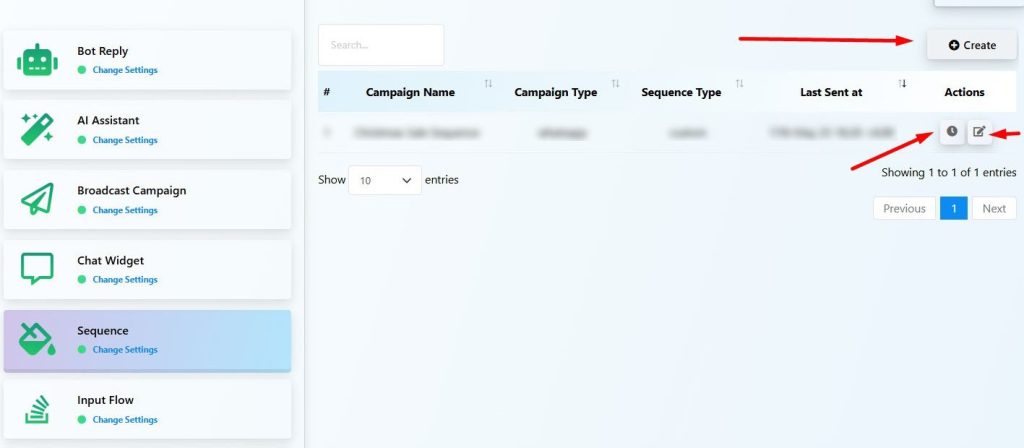
- Create drip campaigns to nurture users over time (e.g., Day 3, Day 7).
- Ideal for lead nurturing, promotions, and onboarding.
- View detailed performance reports for every step of the sequence.
6. 📥 Input Flow
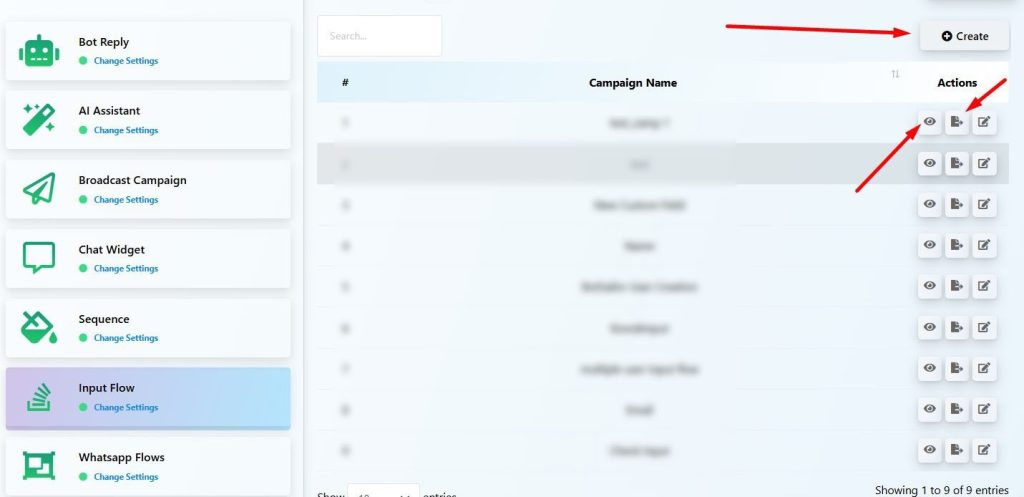
- Collect structured data (email, phone, preferences) through form-type conversations.
- All data is automatically stored in subscriber profiles for easy access.
7. 🧩 WhatsApp Flows
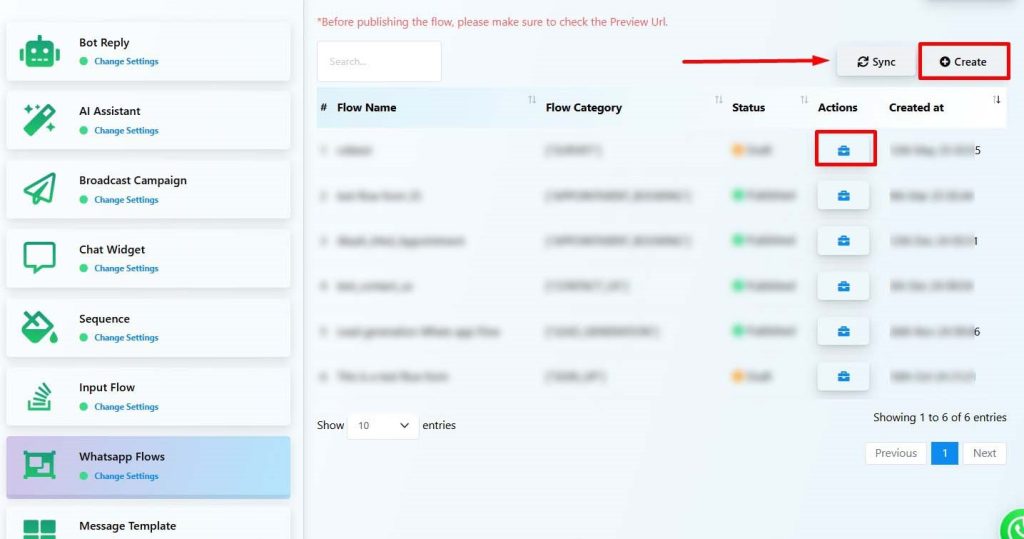
- Utilize a visual drag-and-drop builder for your WhatsApp bots.
- Create interaction paths with triggers, actions, replies, and conditions.
8. 🧾 Message Template
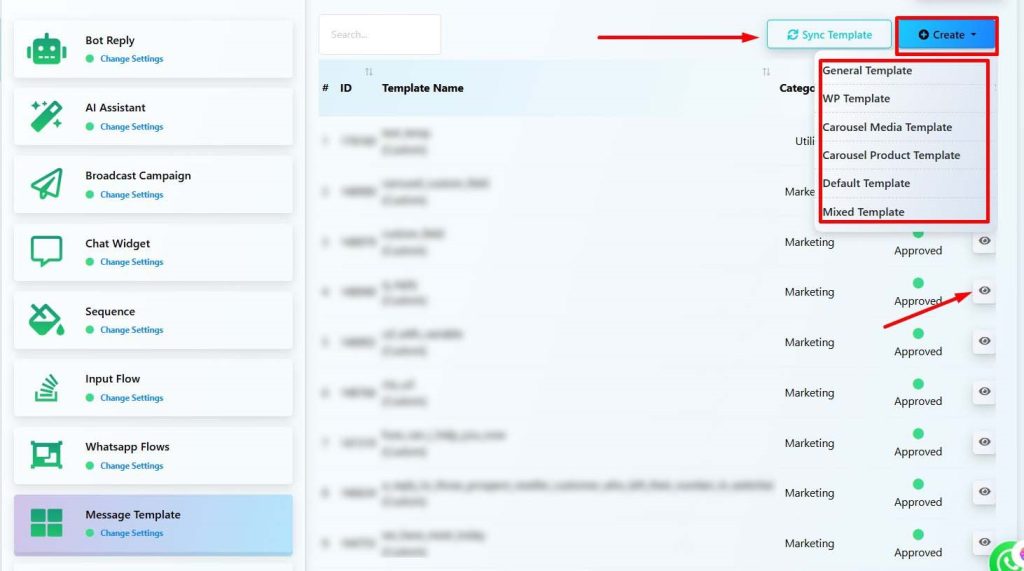
- Manage WhatsApp-approved templates (Marketing, Utility, OTP, etc.) and sync with Meta.
- Create templates in various formats: carousels, media, product, or mixed marketing.
9. 🛒 WC/Shopify Automation
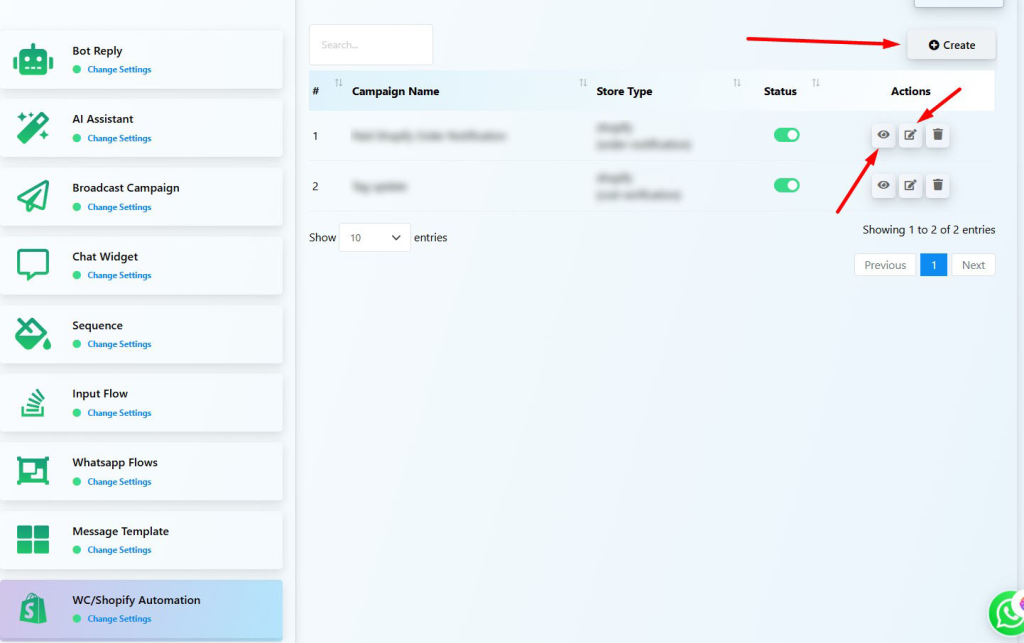
- Automatically send order confirmations, delivery notifications, or payment alerts from your WooCommerce/Shopify store.
- Effectively reduce COD fraud and abandoned carts.
🆕 Advanced Capabilities
10. 🌐 Out-bound Webhook
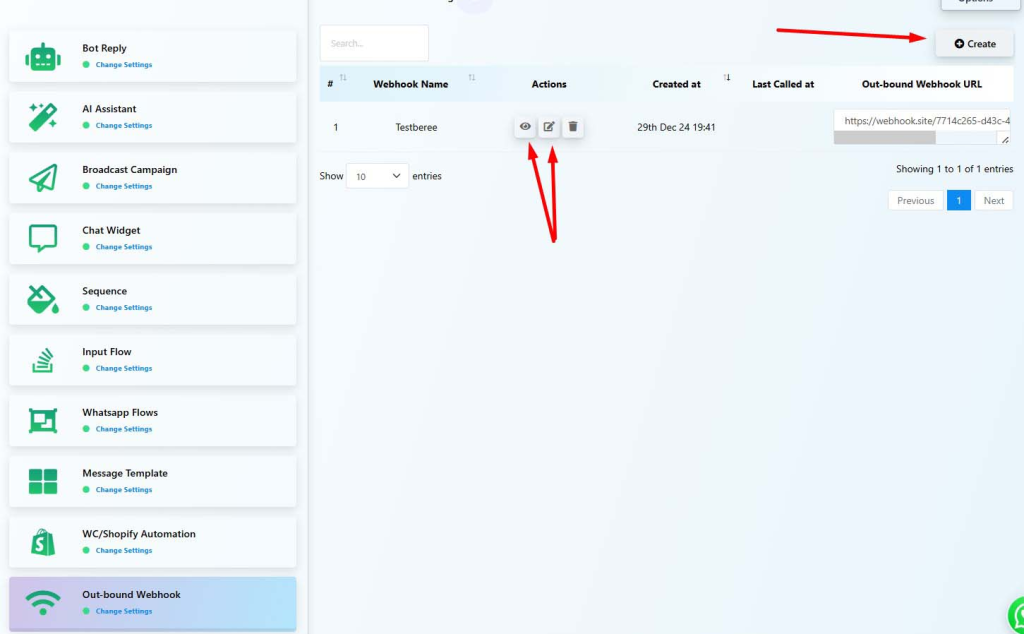
- Trigger external systems when a user interacts with your bot.
- Create endpoints to connect with external URLs (e.g., your CRM or API).
- Use Case: Automatically log lead details to your CRM when a user completes a form.
11. 🔘 Action Buttons
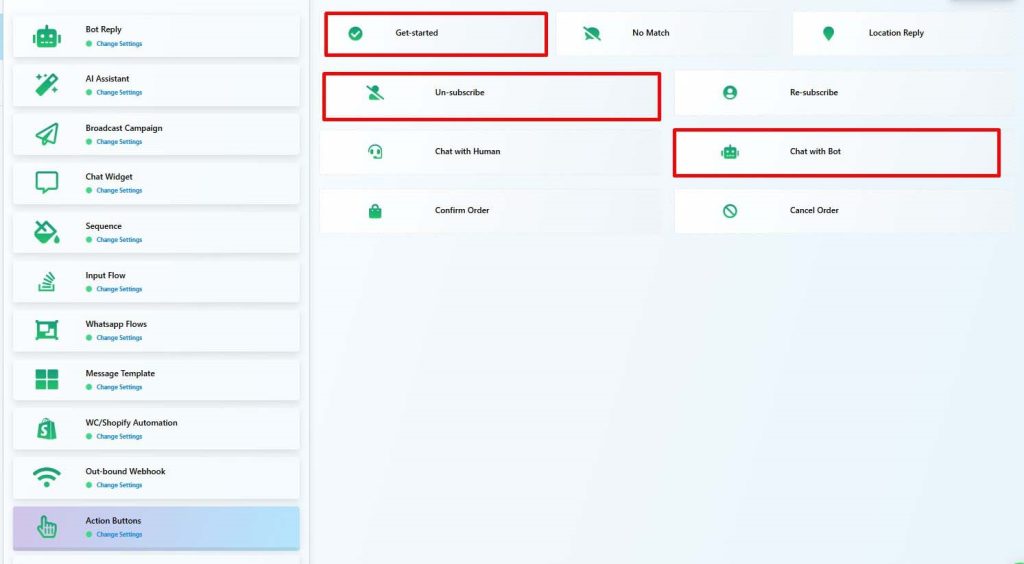
- Pre-configured bot behaviors like Get Started, Unsubscribe, or Chat with Human.
- Fully customizable and reusable in flows or widget menus.
12. ⚙️ Configuration Settings
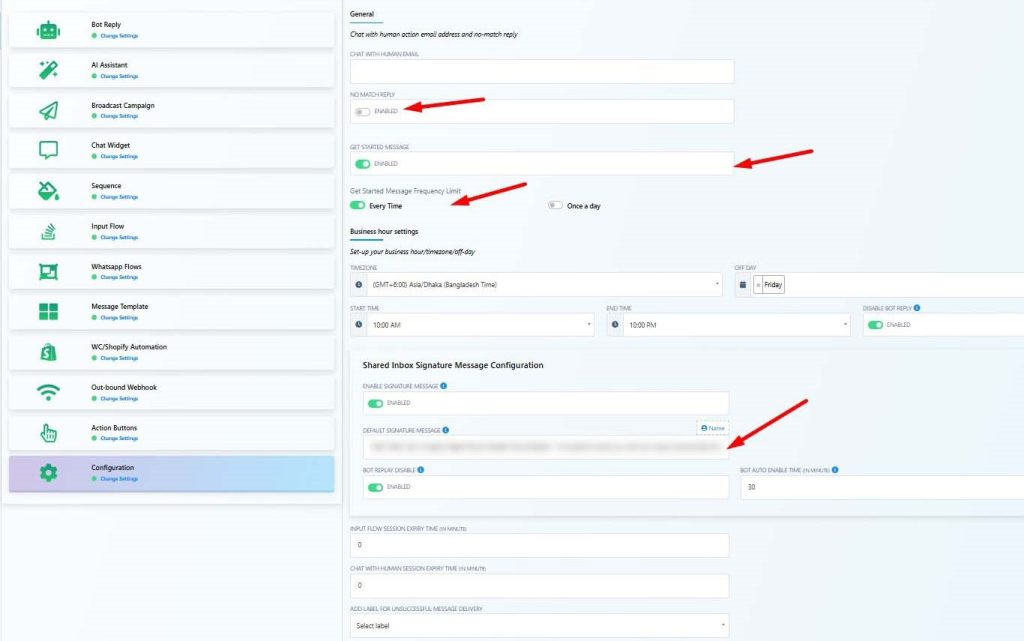
Take full control of your bot’s behavior, session rules, and logic for business hours. These settings ensure a human-like experience while maintaining maximum automation efficiency:
- No Match Reply: Set a custom fallback message that triggers if a user’s input doesn’t match any existing flow or keyword.
- Get Started Message Frequency: Choose whether to send the “Get Started” prompt every time a user interacts or limit it to once per day.
- Business Hours: Automatically pause bot replies outside of your specified working hours to manage expectations.
- Signature Message: Automatically display an agent introduction when a conversation is handed over to a human (e.g., “Hi, this is Agent #UserName# from Zoe Agent…”).
- Bot Auto Re-enable Timer: Set a specific duration to automatically reactivate the bot once a live chat session has ended.
❓ FAQs
Can I run a bot and human chat together?
Yes. Using the shared inbox and configuration settings, you can shift between bot and human chat while using signature messages and bot reactivation timers.
Do I need coding to use Zoe Agent?
No. Everything is visual and user-friendly, including webhook setup, WhatsApp flows, and AI training.
Can I connect multiple external systems with webhooks?
Yes, you can create multiple outbound webhooks to send data from different flows or triggers to various third-party tools.
🏁 Conclusion
Zoe Agent is a powerful and complete WhatsApp automation platform built for marketers, support teams, and eCommerce businesses. Whether you’re launching your first campaign or managing 10,000 subscribers—Zoe Agent makes it intuitive, visual, and efficient.


